Free 8-page PDF sample
50 Excel Formulas for Office Administrators
Stop googling the same formulas every week. This guide teaches 50 core Excel formulas plus 10 modern functions — each with a plain-English explanation and a real office example: budgets, invoices, employee lists, survey results, expense reports.
Or get the full package — $6.99: the complete guide plus the practice workbook.
8-page PDF · No payment required · Excel 365 or Excel 2024 recommended for the modern functions.

What’s in the free sample
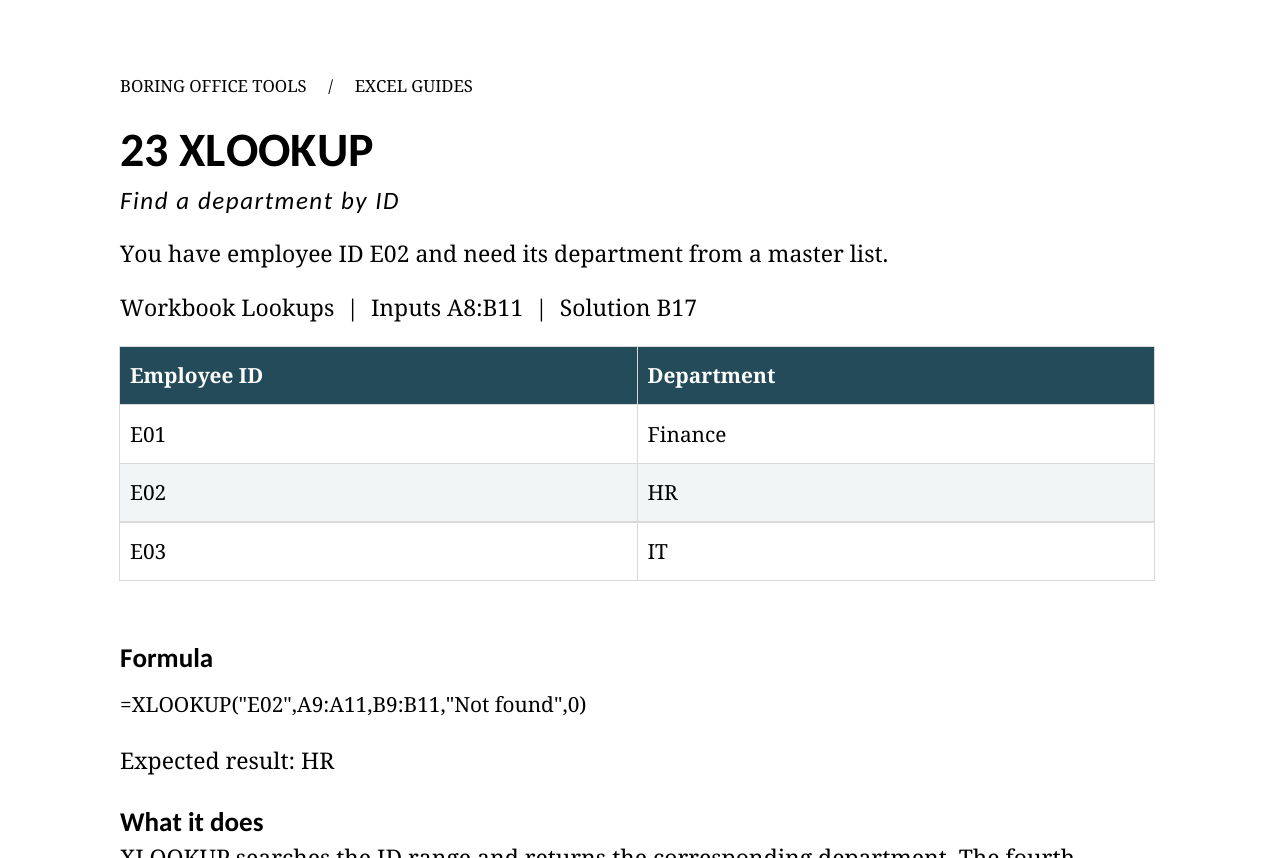
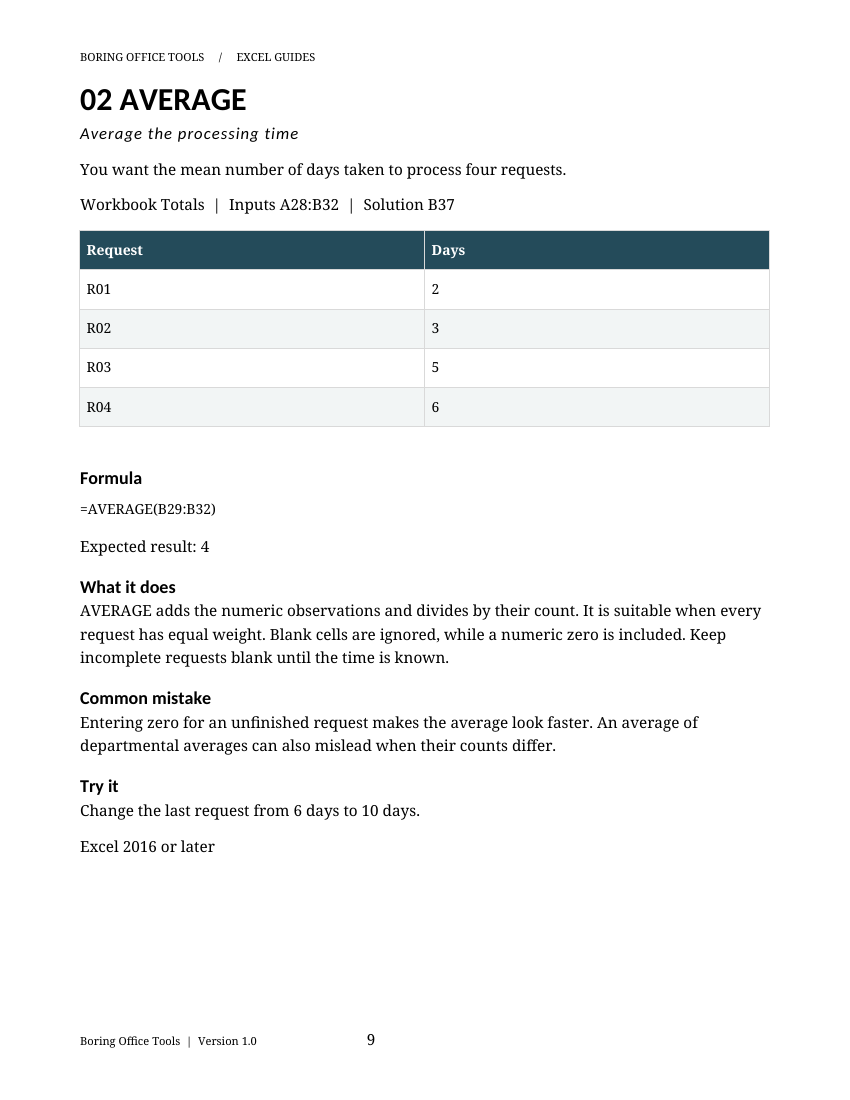
- Complete formula entries from the full guide — what each formula does, the formula itself, and a worked office example.
- The mistakes people actually make with each formula, and how to avoid them.
- A short try-it exercise for every entry, so you practise on realistic data instead of just reading.
- Modern functions included: XLOOKUP and TEXTSPLIT, alongside everyday staples like SUM.
Free sample vs. the full package
| Free sample | Full package — $6.99 | |
|---|---|---|
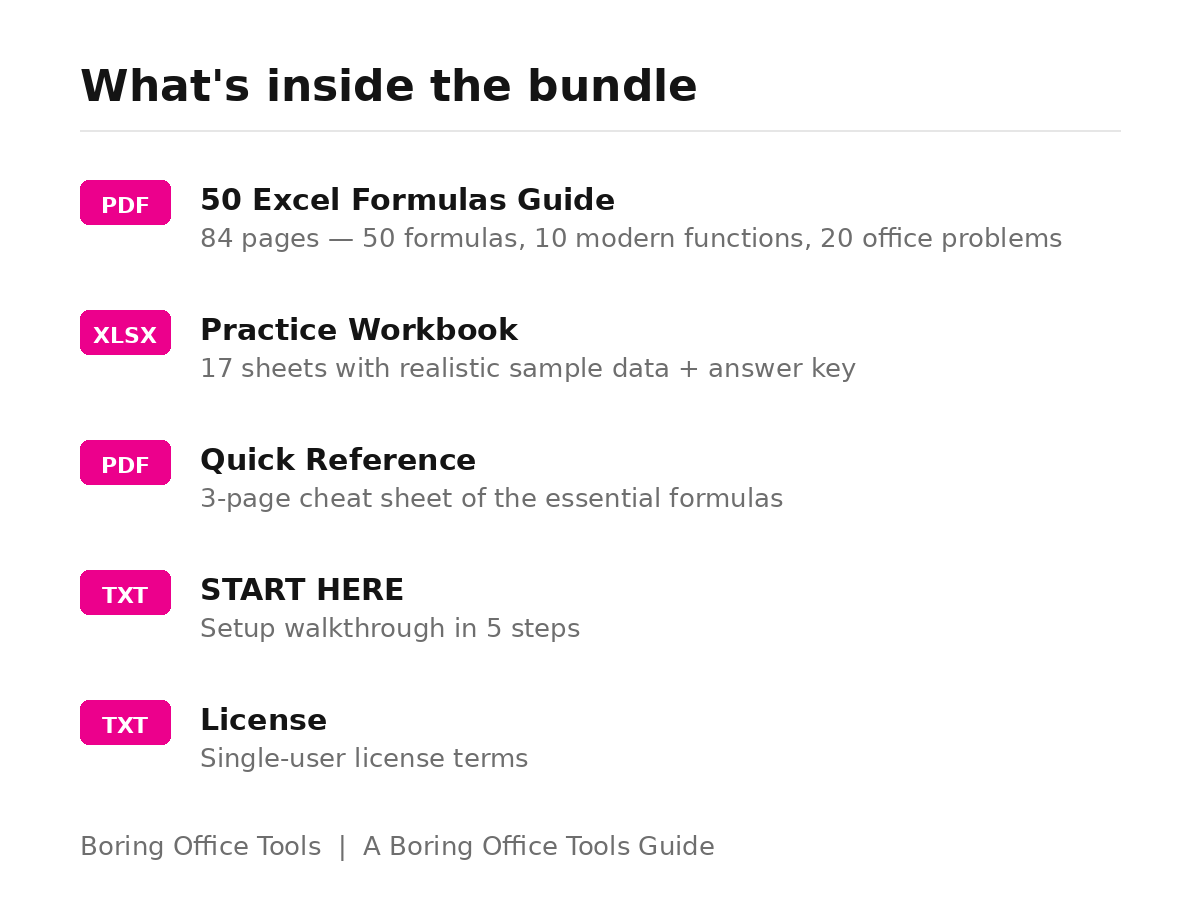
| Guide | 8 pages, selected entries | 84 pages: 50 formulas + 10 modern functions |
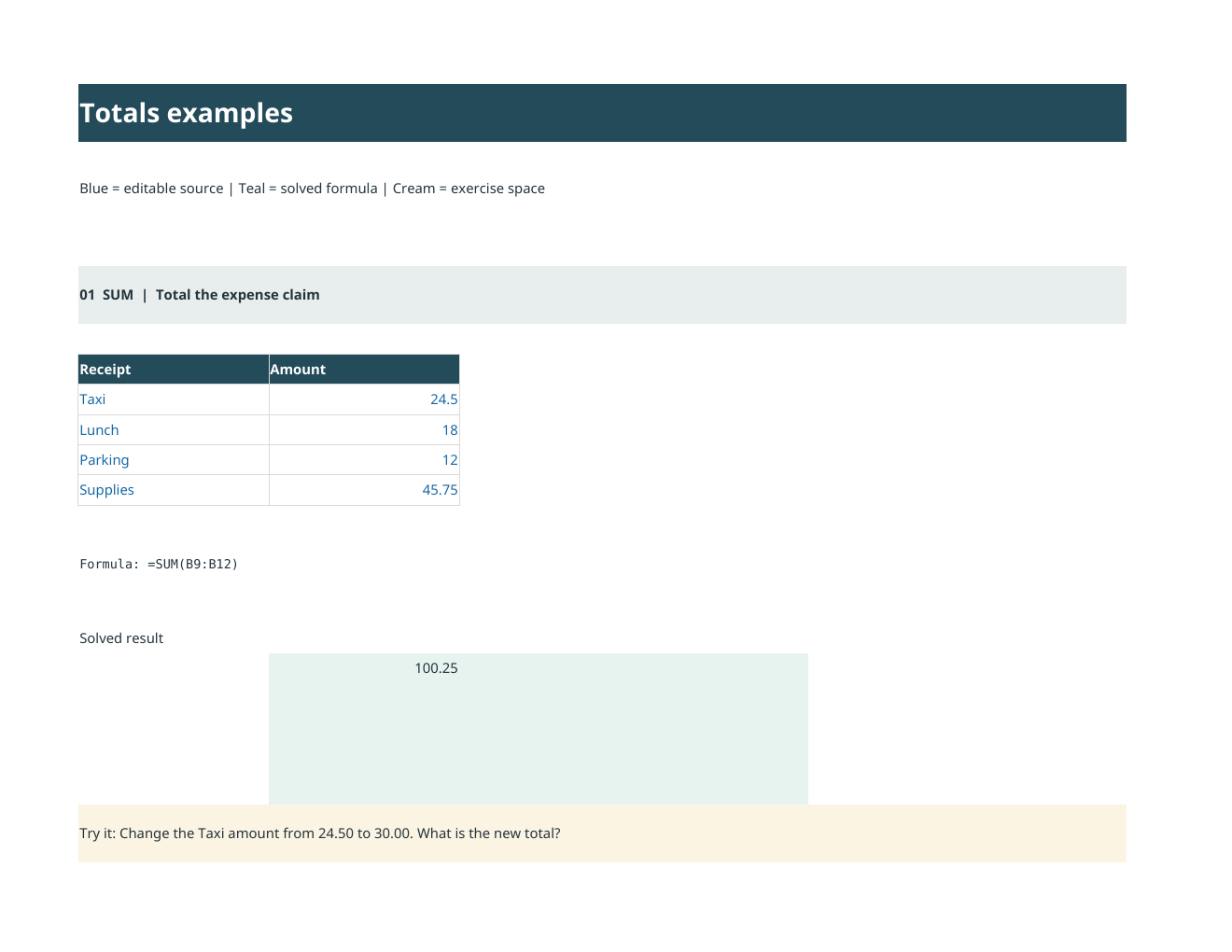
| Practice workbook | — | 17 sheets with realistic sample data and an answer key |
| Quick reference | — | 3-page PDF of the essential formulas |
| Office problems | A taste | 20 real office problems, 60 exercises with answers |
| Price | Free | $6.99 |
Look inside
Questions
Which Excel do I need?
Microsoft 365 (desktop) or Excel 2024 is recommended. The classic formulas work in older versions too, but the modern functions — XLOOKUP, FILTER, TEXTSPLIT and friends — need a current Excel.
Does it work in Google Sheets?
The classic formulas translate well, but the workbook was built and tested in Excel, and the modern-function exercises are not tested in Google Sheets or mobile apps.
What licence do I get?
A single-user licence: use the guide and workbook for your own work, on your own machines. The full terms are in the LICENSE file in the download.